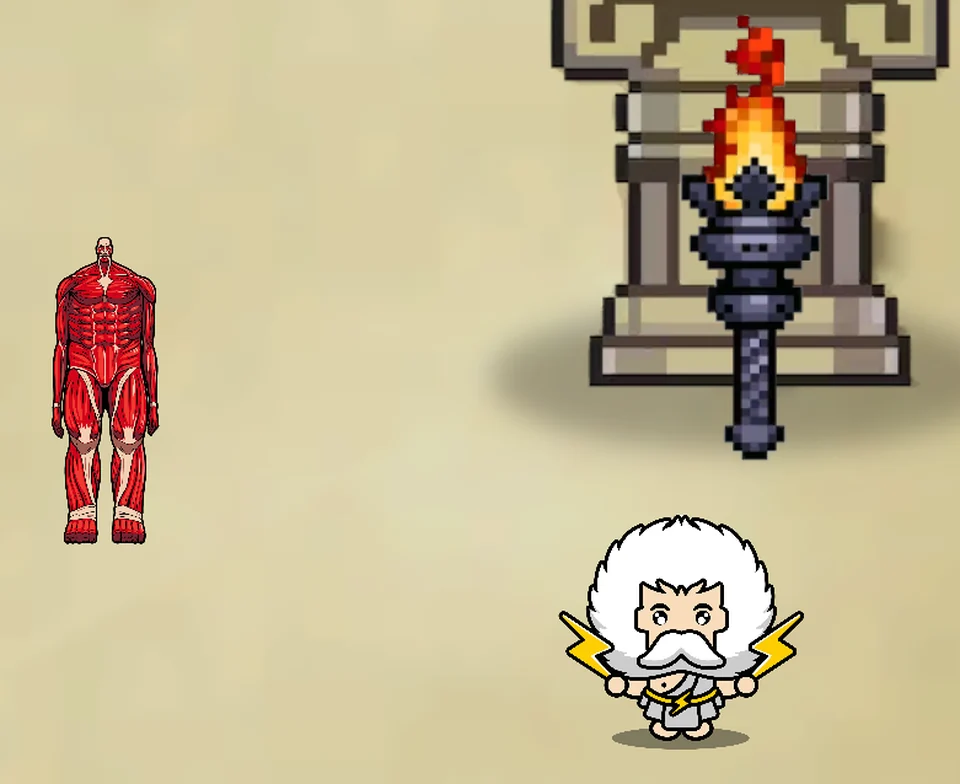
Zeus has more than a family disagreement here. Klayr’s small browser action game sends the thunder god against the Titans, with a maze setting and torches to light alongside the fighting described on the creator’s page.
Set your hands before the first encounter. Put one hand near the arrow keys and keep Space within comfortable reach, then look for the torch objective as well as enemies so the combat does not swallow the whole plan.
Move with arrows
Attack with Space
Look for torches
Editorial illustration · a reading aid, not a gameplay screenshot
Devices
Computer with keyboard
Input
Arrow keys + Space
Pace
Move, fight, find your route
Developer
Klayr
Access: Browser launch on the creator’s page; optional support link. Touch play is not documented.
Know the controls
Arrow keys
Move Zeus.
Space
Attack the Titans.
Embedded view
Try this first if fullscreen affects the music or movement.
A mythology game with a small, specific job
The premise gets straight to the point. You play Zeus in a conflict with the Titans, and the creator’s instructions give you movement, an attack and a torch objective rather than a long list of systems to learn.
Let the setting set the mood. This is our pick for someone who wants a playable mythological scene, although the creator does not present it as a history lesson or a complete account of Greek mythology.
Keep a route in mind while fighting
Enemies are not the whole checklist. Because the page also tells you to light torches, it makes sense to notice where an unvisited route leads instead of treating every bit of movement as a chase after the next opponent.
Give the controls some breathing room. If using movement and Space together feels awkward, practise the hand position in a safe moment before deciding that a missed attack means you need to rush through the next encounter.
Know the fullscreen caveat before choosing a device
Start in the embedded window. The author specifically warns that fullscreen may make the game lag, especially the music, so trying the smaller view first is a useful response to a documented problem rather than a promise of perfect performance.
This one belongs beside a keyboard. Arrow keys and Space are the published controls, while touch support and a verified completion time are absent from the description, so we would not choose it for a phone-only break.
Two easy traps to avoid
!
Following enemies and forgetting the objective
Keep the torches in your plan. After an encounter, take a moment to work out what you were exploring before it started, rather than letting another visible opponent choose every turn through the maze for you.
!
Assuming a bigger window must run better
Try the ordinary view first. Fullscreen is a presentation choice, and the creator’s own warning gives you a reason to step back from it if the music or movement starts feeling less consistent.
Our take
Choose it for the author-made detour. The combination of Zeus, a maze and a short control list gives this collection a different flavour, but the fullscreen warning and undocumented touch support keep it from being our easiest all-device recommendation.
A good fit if…
You are curious about small indie games. If a rougher edge is acceptable when the premise catches your attention, the creator’s browser page is a sensible place to try this focused mythological action idea for yourself.
Keep this in mind
Expect a modest project. The creator made it for a Christmas event and offers a separate standalone build, but this guide covers the HTML5 version and does not assume identical performance, saving or content in the download.
A closer look
Klayr and credited collaborators · Tap an image to enlarge
Zeus near two torch pillarsTitan encounter in the arenaZeus under a titan shadow
Game imagery from the linked publisher material or opening-session captures. Artwork remains with its respective owners.
A few practical questions
Is this actually a browser game?+
Yes, the creator lists HTML5. The page includes a browser launch as well as mentioning a standalone build, so use the embedded version when following this guide rather than assuming a download is required.
Does it work with touch controls?+
Touch support is not documented. The published instructions name arrow keys and Space, which is why we recommend a computer with a keyboard instead of guessing that the phone version has equivalent on-screen buttons.
Why does fullscreen sound uneven?+
The author warns about that possibility. Try returning to the embedded view if the music or movement stutters, but do not treat that step as a guaranteed repair for every browser or computer.
Sources & scope
Source-based guide; not a claim of a completed playthrough. Browser edition linked above. Checked 23 November 2026.